WEBKIT. WINDOWS. VITREO.

Made for Windows.
Powered by WebKit.

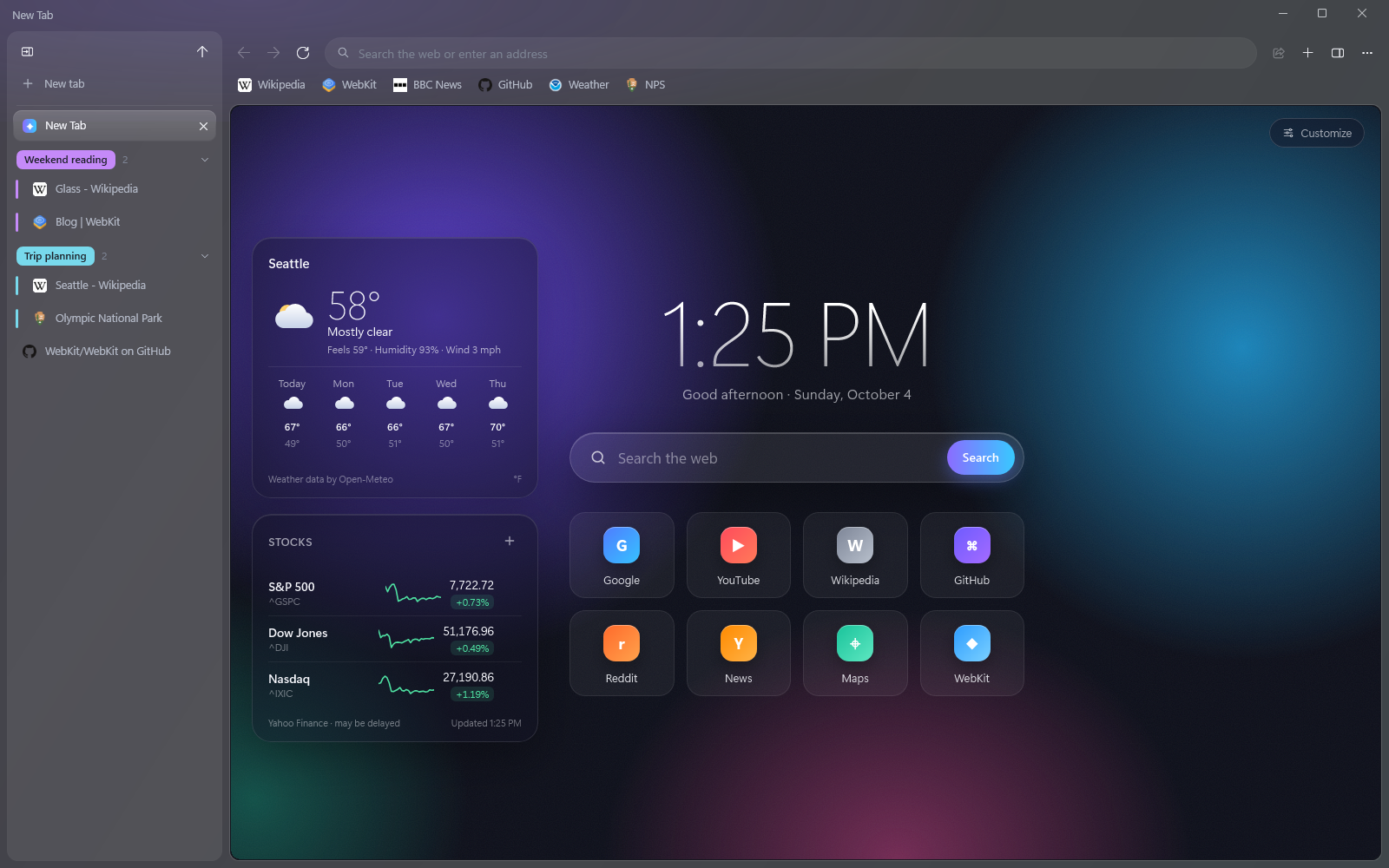
Tabs grouped by task. Two pages side by side. Reading and PDF tools built in. Vitreo brings them together in a frosted-glass interface.

Windows 10 & 11 · 64-bit

Screenshots of Vitreo. Select an image to view it at full size.

Help keep Vitreo independent.

Your donation helps fund Vitreo's development.

Donate to Vitreo

BUILT INTO VITREO

Your tabs. Your way.

A reference beside your draft. An article without the clutter.
Your tabs, back where you left them.

Keep your tabs together.

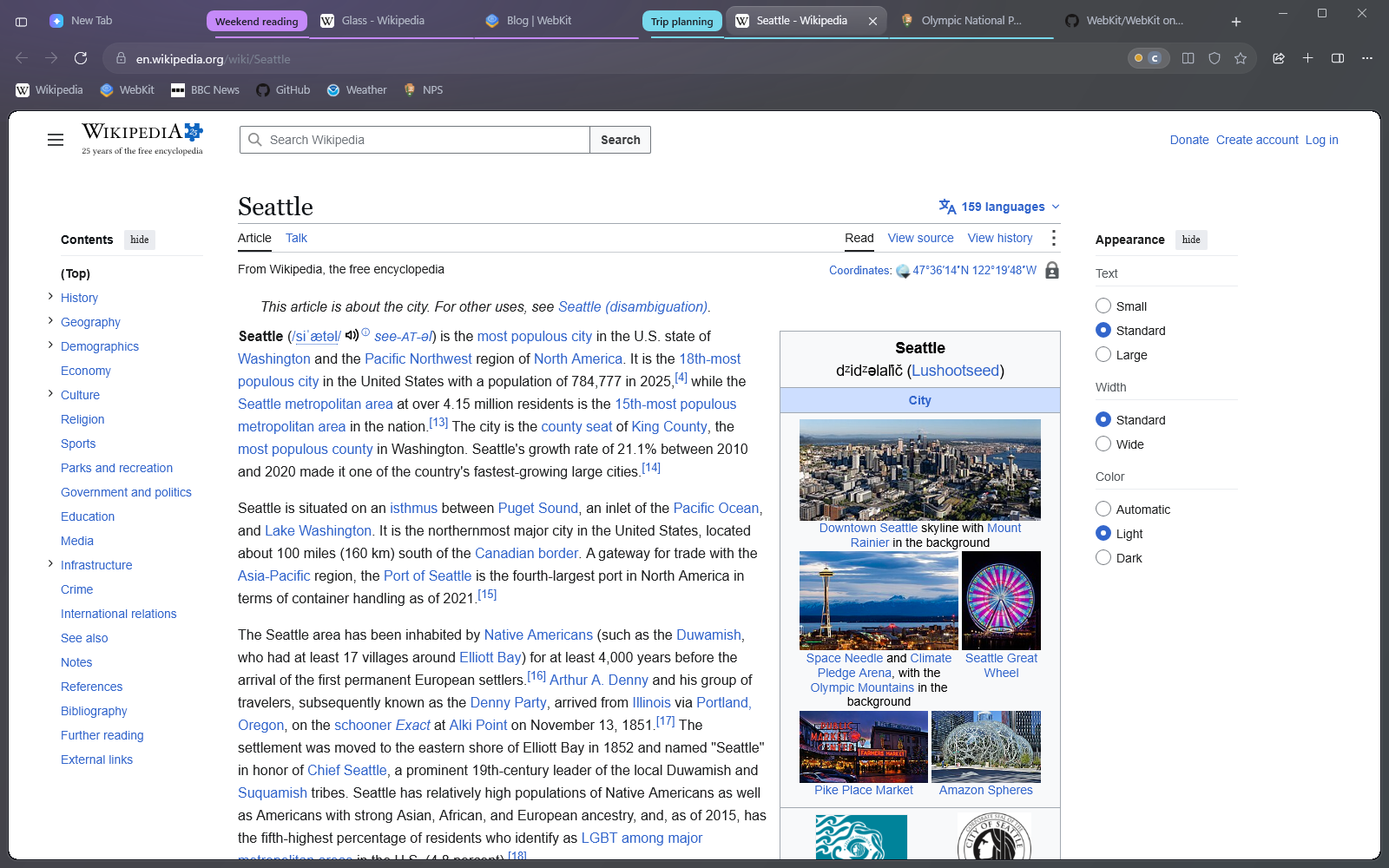
Keep trip plans in one group and work in another. Collapse a group when you don't need it. Choose horizontal tabs across the top or vertical tabs in a sidebar. Reopen Vitreo with your windows and groups where you left them.

Tab groups · Layout choices · Session restoreHorizontal tabs with Weekend reading and Trip planning groups.

Two pages. One window.

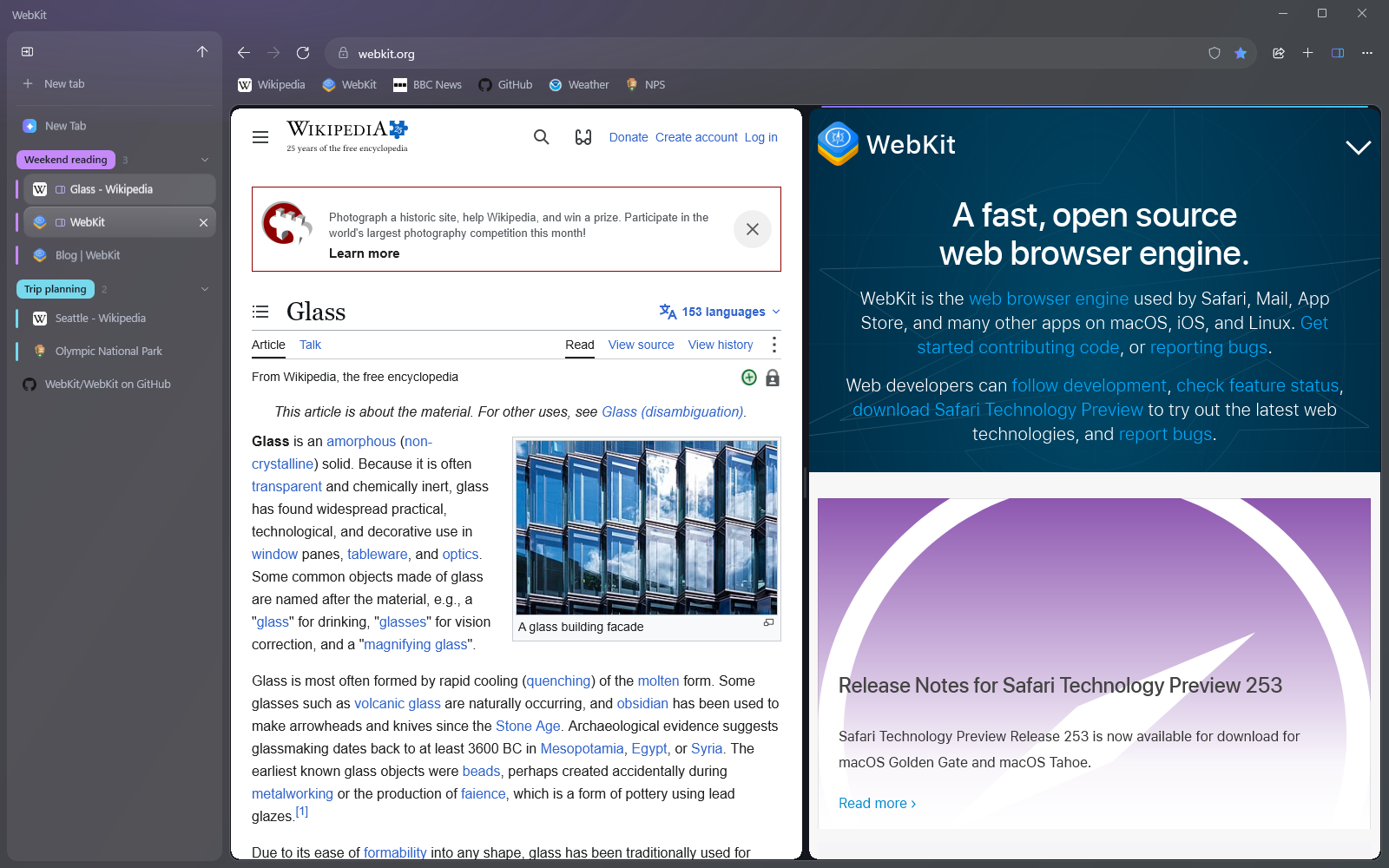
Compare a train timetable with your itinerary, or keep documentation next to your work. Split view puts two tabs side by side, with a divider you can move.

Split view · Ctrl + Shift + SWikipedia and webkit.org displayed side by side in Vitreo.

Just the article.

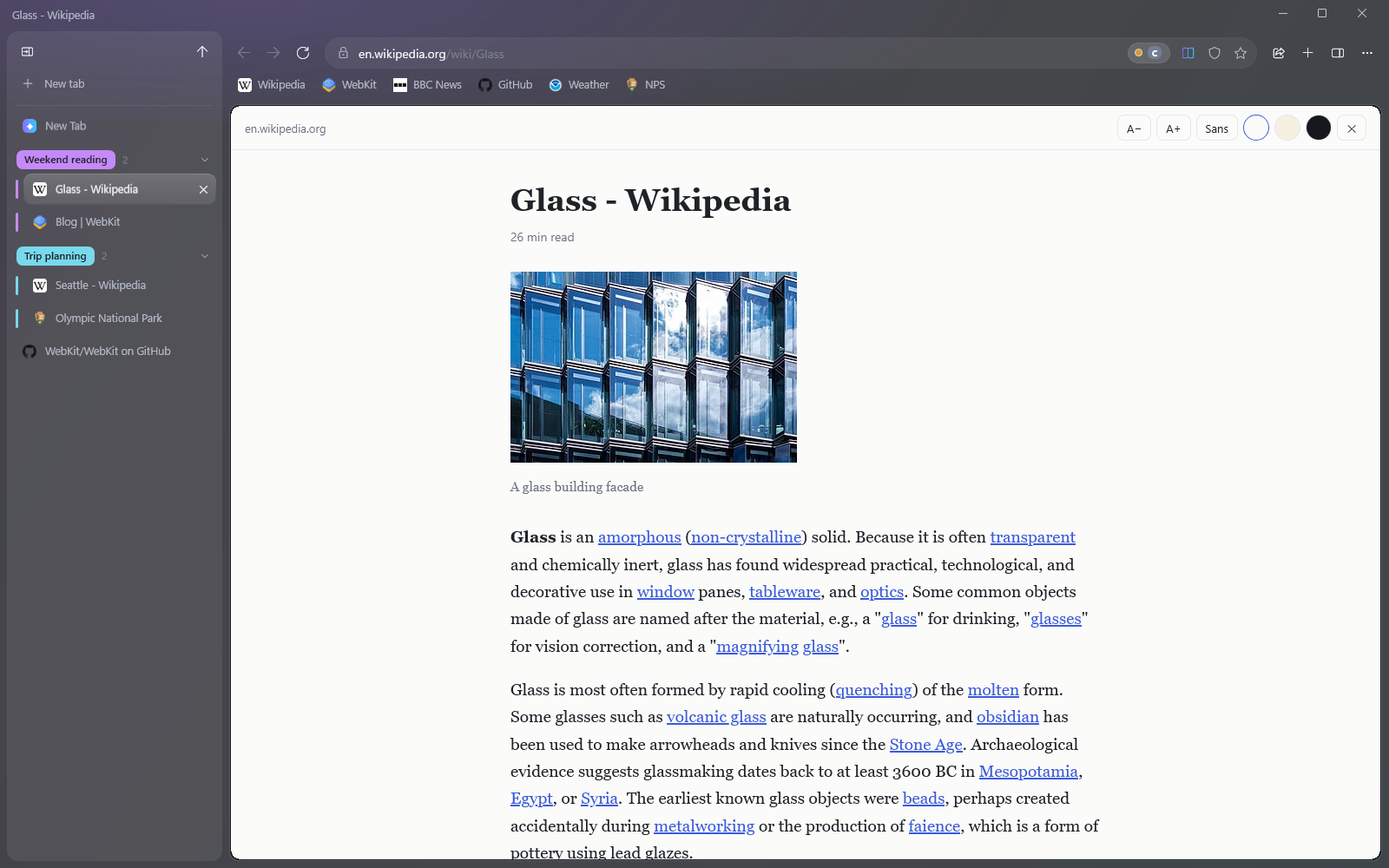
Reading mode removes the surrounding clutter. Choose your text size, typeface, and background. Save a page to read offline.

Reading mode · Single-file page savingVitreo reading mode showing Wikipedia's Glass article.

Make your mark on a PDF.

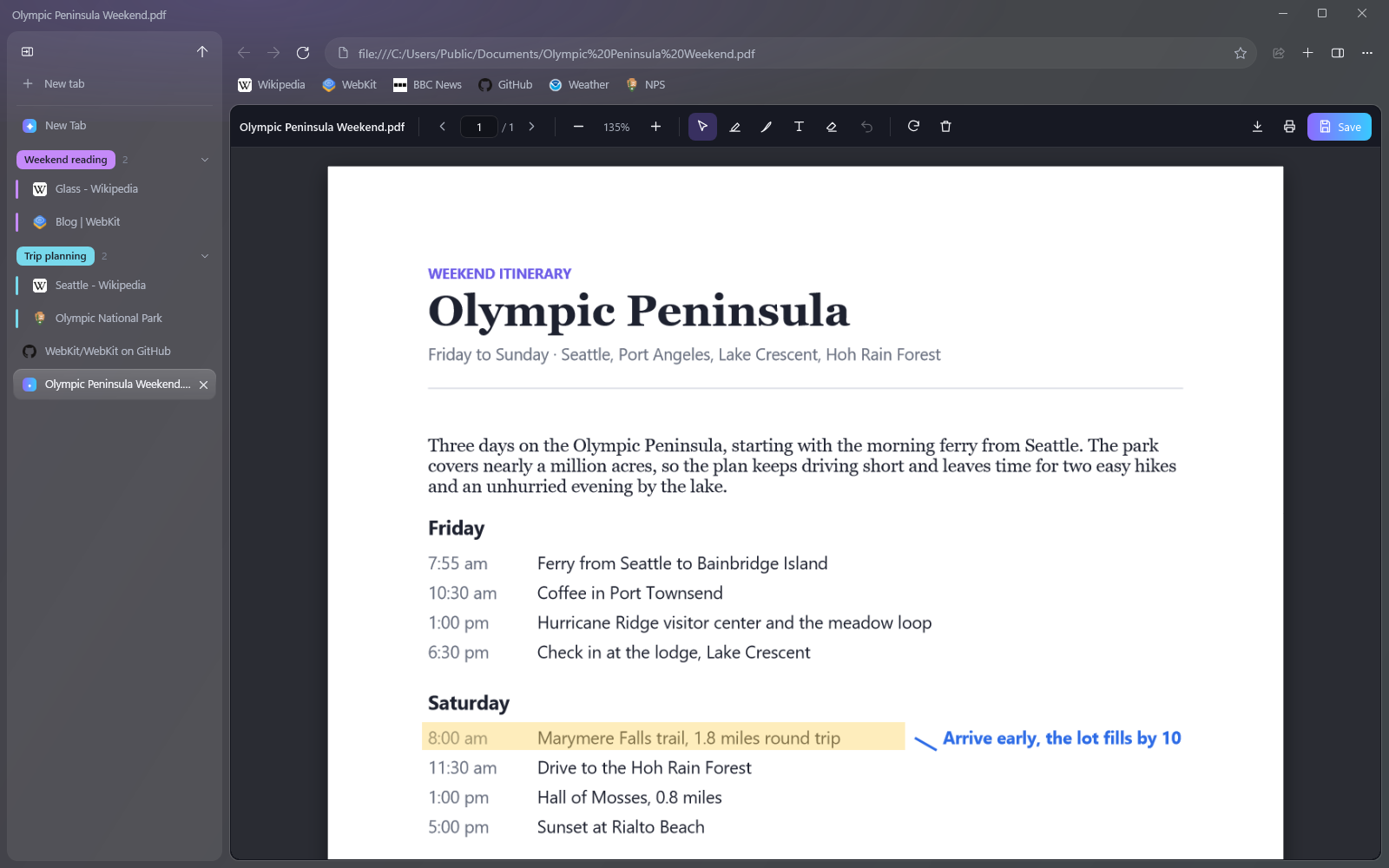
Highlight a passage. Add a note. Draw on the page. Rotate or remove pages, then save your changes.

Highlight · Annotate · SaveVitreo PDF editor with annotation tools, a highlighted itinerary entry, and a note.

FACTUAL REPUTATION

More context.
Before you read.

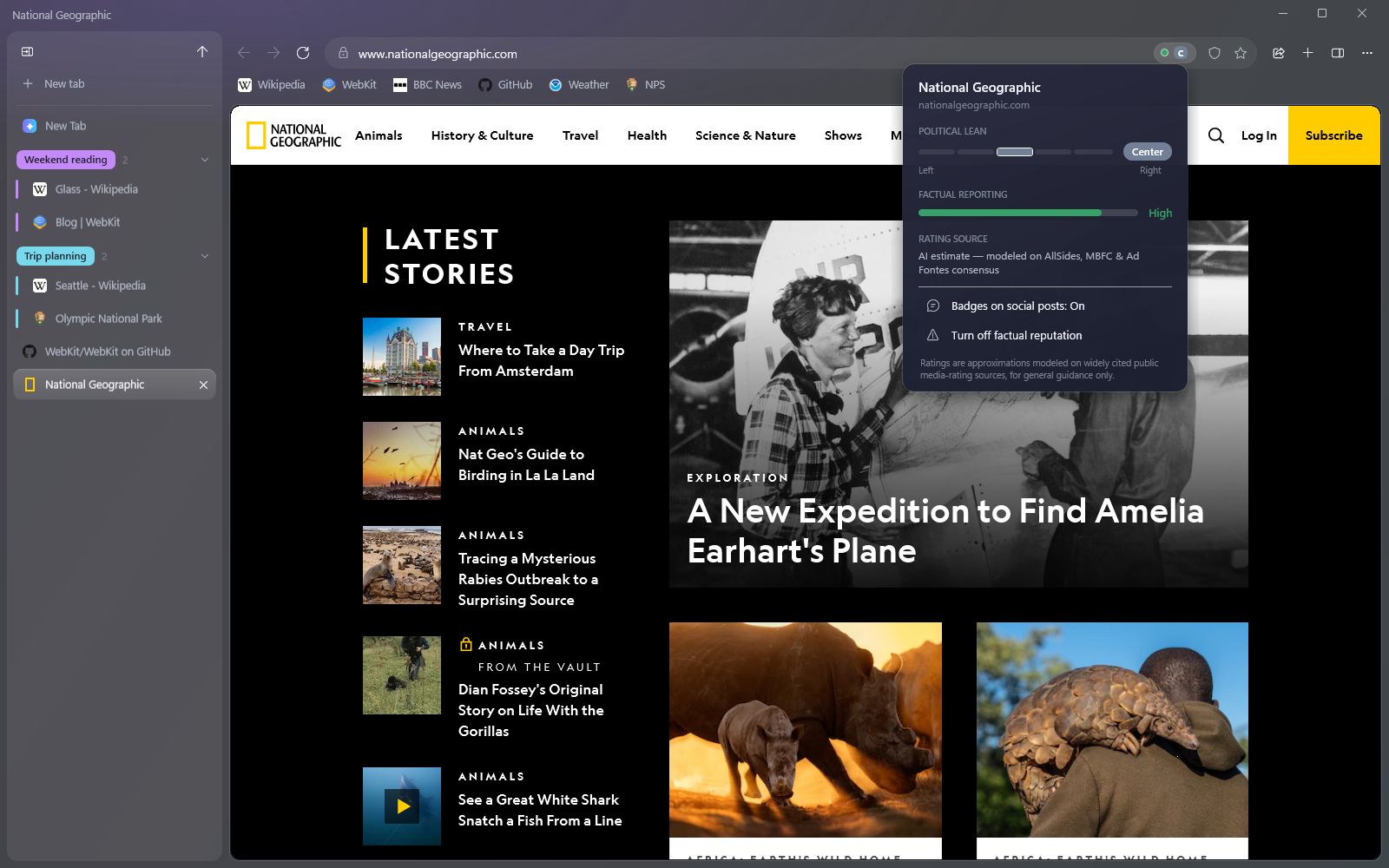
On a rated news site, a badge in the address bar shows its political lean and factual-reporting rating. Select it to see the rating in more detail and where it comes from.

Badges also appear on supported social platforms for rated outlets, commentators, and links to rated sites. Lookups happen on your PC, using ratings included with Vitreo.

These ratings describe a source’s reputation; they don’t verify each article or claim. Factual reputation is on by default. You can turn it off, or disable social badges separately.

National Geographic in Vitreo with the reputation card open, showing Center political lean, High factual reporting, the rating source, and controls.
The reputation card shows the rating, its source, and your controls.
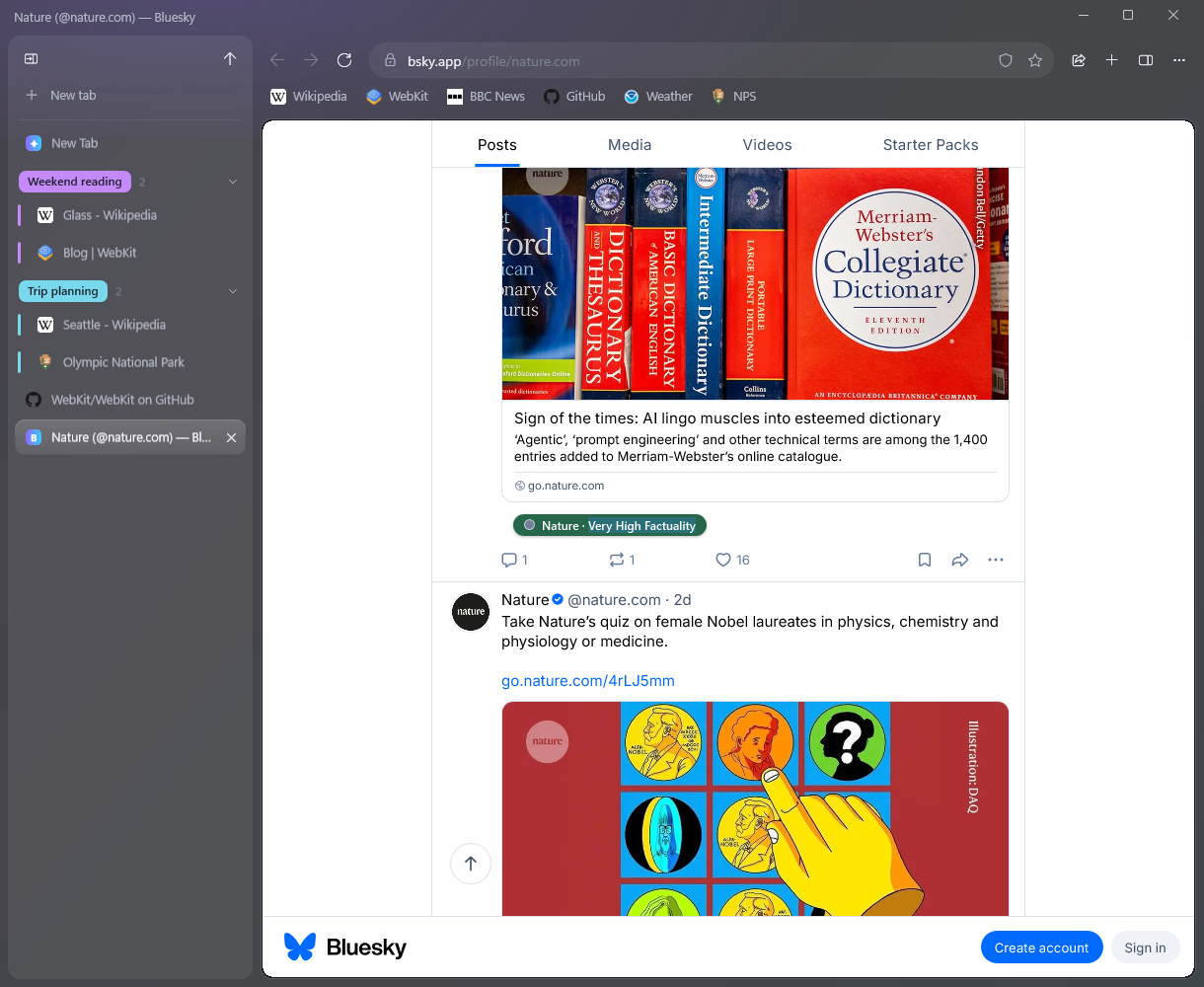
Nature's Bluesky posts in Vitreo with a Nature · Very High Factuality badge.
Source ratings beside posts. Here, Nature on Bluesky.

A CHOICE OF ENGINE

WebKit,
on Windows.

Vitreo uses WebKit, the engine behind Safari, instead of Chromium. It pairs that engine with a Windows interface and familiar controls for bookmarks, downloads, and browsing.

Website support differs from Safari. See the compatibility notes before you install.

YOUR EVERYDAY DATA

Bring your bookmarks with you.

Bring your bookmarks from Chrome, Edge, or Firefox.
Import passwords from a CSV. Start with what you already have.

Passwords stay on your PC.

The vault uses Windows account encryption. Windows Hello checks protect reveal, copy, and edit when Hello is set up.

Bookmarks can travel.

With OneDrive, your bookmark file can follow you between PCs. Without it, Vitreo stores bookmarks locally.

Privacy controls are built in.

Tracker blocking, third-party cookie controls, and incognito windows give you choices without installing an extension.

MADE FOR YOUR DESKTOP

Vitreo for Windows.

Built for Windows 10 and Windows 11.

Download coming soon

64-bit Windows · Version 1.19.17

What do I need to run Vitreo?

A 64-bit PC running Windows 10 version 2004 or later, or Windows 11. The installer includes the required runtime. The acrylic backdrop needs Windows 11 22H2 or later; older versions use a solid tint.

What are the limitations and known issues?

Vitreo uses a customised Windows build of WebKit 627.1.4 with experimental GStreamer video support. It differs from Safari and from Playwright builds. These notes reflect the current project, Vitreo 1.19.17.

Features that don’t work yet

  • Camera, microphone, and browser calls. Camera and microphone access and WebRTC aren’t included. Use another browser for video meetings and sites that need recording.
  • Web Audio. Apps that depend on the Web Audio API, such as browser synthesizers and some audio editors, won’t work. Ordinary audio and video playback are separate features.
  • Protected streaming. DRM playback isn’t supported. Services such as Netflix, Disney+, and Spotify’s web player need another browser.
  • Accessible web page content. Vitreo’s controls have screen-reader names, but web pages aren’t exposed to Windows screen readers by this WebKit build.
  • Some PDF features. Password-protected PDFs and PDF form filling aren’t supported.

Features with limits

  • YouTube and Twitch. Both can now play through experimental Media Source Extensions (MSE). Twitch can still stall while a page loads or runs short of buffered video. Currently undergoing additional testing.
  • High-resolution video. Hardware decoding helps on compatible graphics cards, but conversion and frame transfers still use the CPU. Smooth 4K at 60 fps isn’t guaranteed. HDR output isn’t supported; sites are asked to send SDR video.
  • Some video files. Fragmented MP4 files opened directly from a web address can fail to seek or finish correctly. Audio/video synchronisation and streaming services beyond the documented tests haven’t been fully validated.
  • Hardware acceleration. Page compositing is off by default because resizing or switching tabs has produced blank, see-through, or incorrectly sized pages. Hardware video decoding is a separate setting and is on by default on supported systems.
  • Printing. Pages print as images of their on-screen appearance. Print-specific layouts aren’t applied, text isn’t selectable in the output, and very long pages stop after 40 screens.
  • Ad and tracker blocking. Some requests can leave before blocking takes effect. Web workers aren’t covered, and a site can override some element-hiding rules.
  • Passkeys and WebGPU apps. These haven’t been verified in Vitreo. Keep another browser available for sites that depend on them.

These limitations are as of October 15, 2026. Results depend on the site, graphics card, and driver; the notes above aren’t a promise of compatibility with every service.

What has improved in Vitreo and WebKit?

The recent work covers everyday browser controls and the Windows version of WebKit that Vitreo ships. These are changes in Vitreo’s engine build; they aren’t claims about Safari or every WebKit browser.

In Vitreo

  • More ways to manage tabs. Pin frequently used sites, search tabs across windows, and use horizontal or vertical tabs. Session restore keeps windows, tabs, and named groups together.
  • Downloads you can continue. Pause, resume, and retry downloads. Interrupted downloads return paused after reopening Vitreo; servers that don’t support resuming start again.
  • More browsing controls. Search and remove visits in History, save addresses and payment cards for autofill, and use Focus View to hide the browser controls while keeping the window in place.
  • Site and download protection. Added phishing and malware warnings, certificate information, Windows download checks, location and notification permissions, and EasyList/EasyPrivacy filtering.
  • Clearer updates. A What’s New tour introduces changes after an update, and About Vitreo identifies the installed engine build.

In Vitreo’s WebKit build

  • Streaming support. Added a GStreamer media backend and MSE playback, making YouTube and Twitch playback possible where the earlier engine couldn’t play those streams.
  • Less work for video playback. Added Direct3D 11 hardware decoding on supported GPUs. Video frames now take a more direct route to the compositor, avoiding repeated painting of the surrounding page.
  • Better frame timing. Reworked the display clock and update scheduling to reduce dropped frames and playback hitches. The test PC reached about 60 frames per second at 1080p; 4K remains more demanding.
  • Playback recovery fixes. Improved buffering, seeking, full-screen playback, and recovery when a streaming player replaces its media source. A recent fix reuses missing stream setup data in a tested recovery case.
  • Rendering and responsiveness fixes. Fixed a display-clock issue that could leave a tab blank after switching tabs, restored engine timers under Vitreo’s Windows interface, and moved Web Inspector into its own usable window.
  • Engine build optimisation. Enabled ThinLTO build optimisation. On the project’s test PC, three alternating benchmark rounds showed roughly 4% higher Speedometer and 3% higher MotionMark scores than the same source built without it. Gains on other PCs may differ.

Based on the project notes through Vitreo 1.19.17. Test results describe the recorded setups, rather than every PC or website.

How does Factual Reputation work?

Vitreo looks up the site you’re visiting in a set of ratings stored on your PC. For rated news sites, the address-bar badge shows two things: the letters indicate political lean, from Left to Right, and the coloured dot indicates factual reporting, from Very High to Very Low. Select the badge to open the full rating card and see its source.

The bundled ratings are approximations based on public media-rating sources such as AllSides, Media Bias/Fact Check, and Ad Fontes. Some are AI estimates modeled on those sources; the card identifies the source used for each rating. A rating describes an outlet’s reputation, not whether a particular article or claim is true. No badge means Vitreo has no matching rating—it isn’t a judgment about the site.

On X, Bluesky, Threads, Facebook, YouTube, and Reddit, social badges identify rated outlets and commentators, as well as links to rated sites. The lookup happens locally; Vitreo doesn’t send your browsing activity to a rating service.

Factual Reputation is on by default. To switch it off, open the Vitreo menu and select Factual reputation, or choose Turn off factual reputation in the rating card. You can also turn off Badges on social posts separately.
Can I bring my bookmarks and passwords?

The first-run setup can import bookmarks directly from Chrome, Edge, and Firefox. You can also import and export bookmark HTML files.

The password manager imports CSV exports from Apple Passwords, Chrome, Edge, Firefox, and Bitwarden. Passwords stay on this PC; Vitreo doesn't sync directly with iCloud Keychain.